
Call Settings
Looking for an PC/Mac or iOS version of this article?
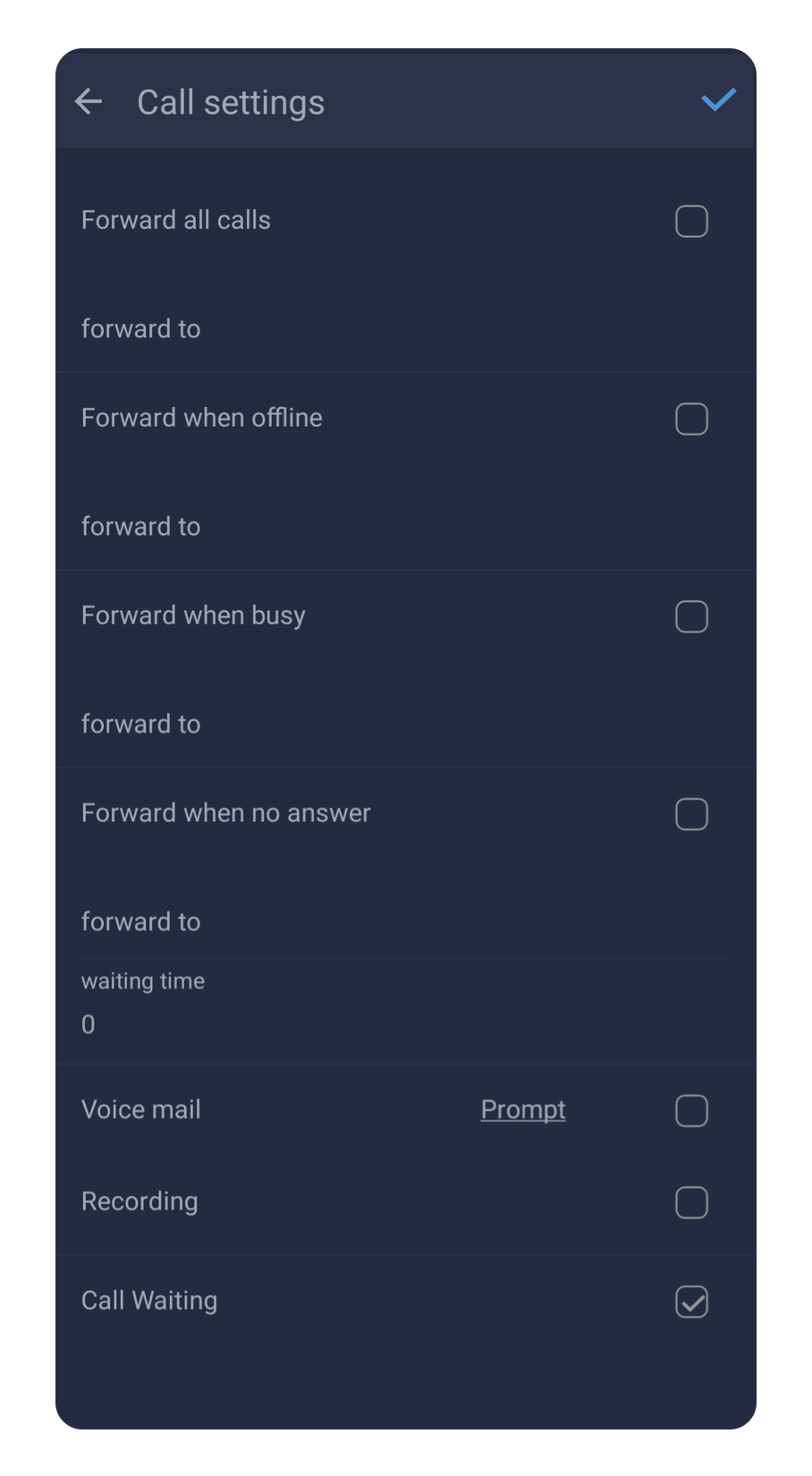
For various cases when you can’t pick up the call in the app, you can set the following Call Forwarding rules. Those rules will help automatically forward calls to the external phone numbers you specify.
Forward all calls.This feature will forward all your incoming calls to a phone number specified in the ‘forward to’ field below.
Forward when offline will forward your calls to a specified phone number only in case the app will lose a connection with your server.
Forward when busy.This rule will only apply during the time when you have an active call.
Forward when no answer.You can turn this feature on if you want to forward calls you do not answer during the time set in the ‘Waiting time’ parameter below.
A Voice mail checkbox turns your voicemail feature on/off. To record or change your voicemail greeting, tap on the ‘Prompt’ link.
Check the ‘Recording’ feature to enable total call recording for all your calls. *
The call waiting feature allows the user to suspend an existing phone call to answer a second call. This feature is required for putting a call on hold, transferring a call, and creating a conference call.
* Please check the availability of this feature with your PBX Administrator.