
Browse app guides

Working with incoming calls

Upon receiving an incoming call, on your mobile device, you will see the following screen:
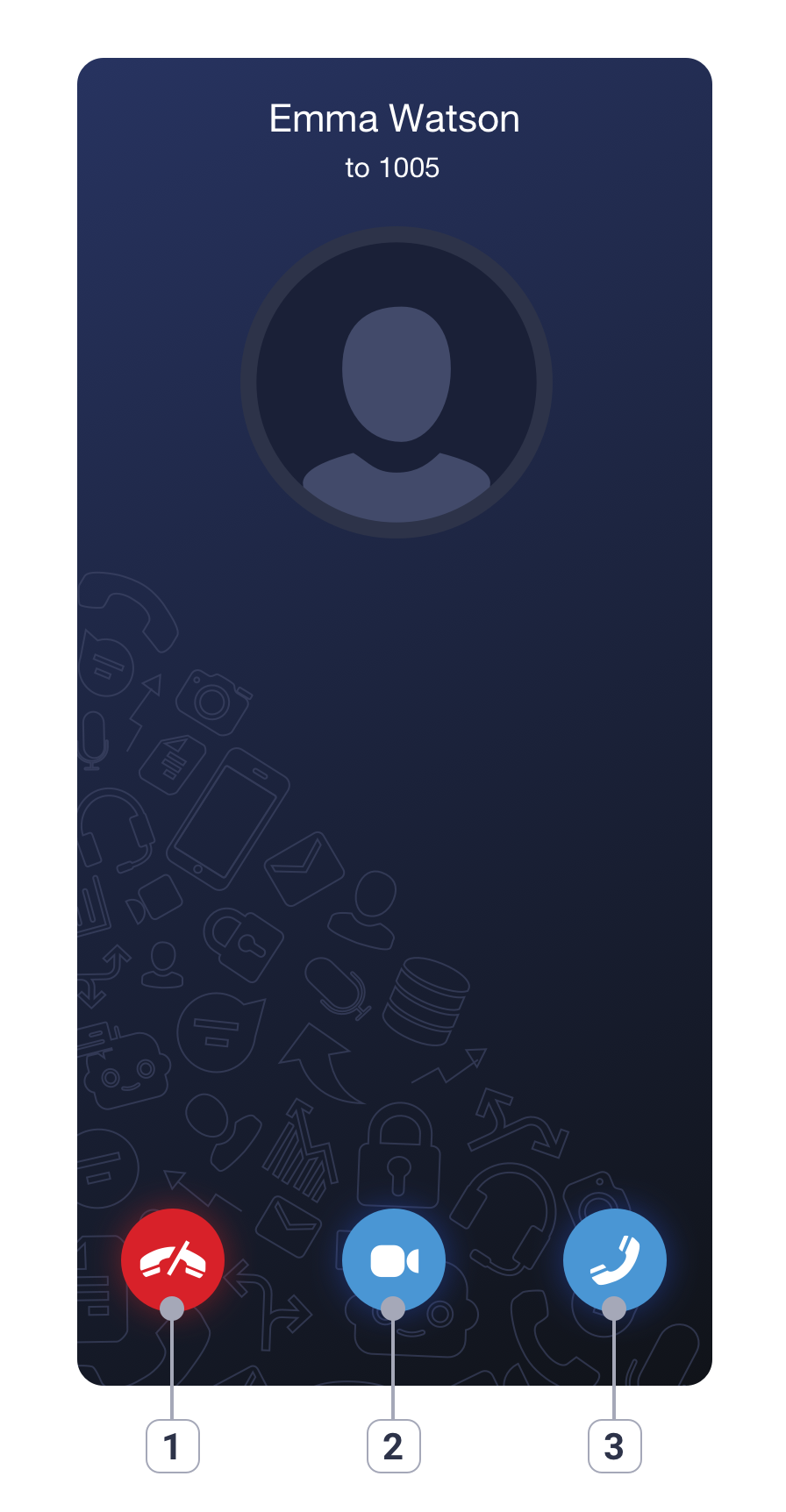
1. Drop a call

2. Pick up with a video on

3. Pick up with audio only

During a call, you have access to the following features:
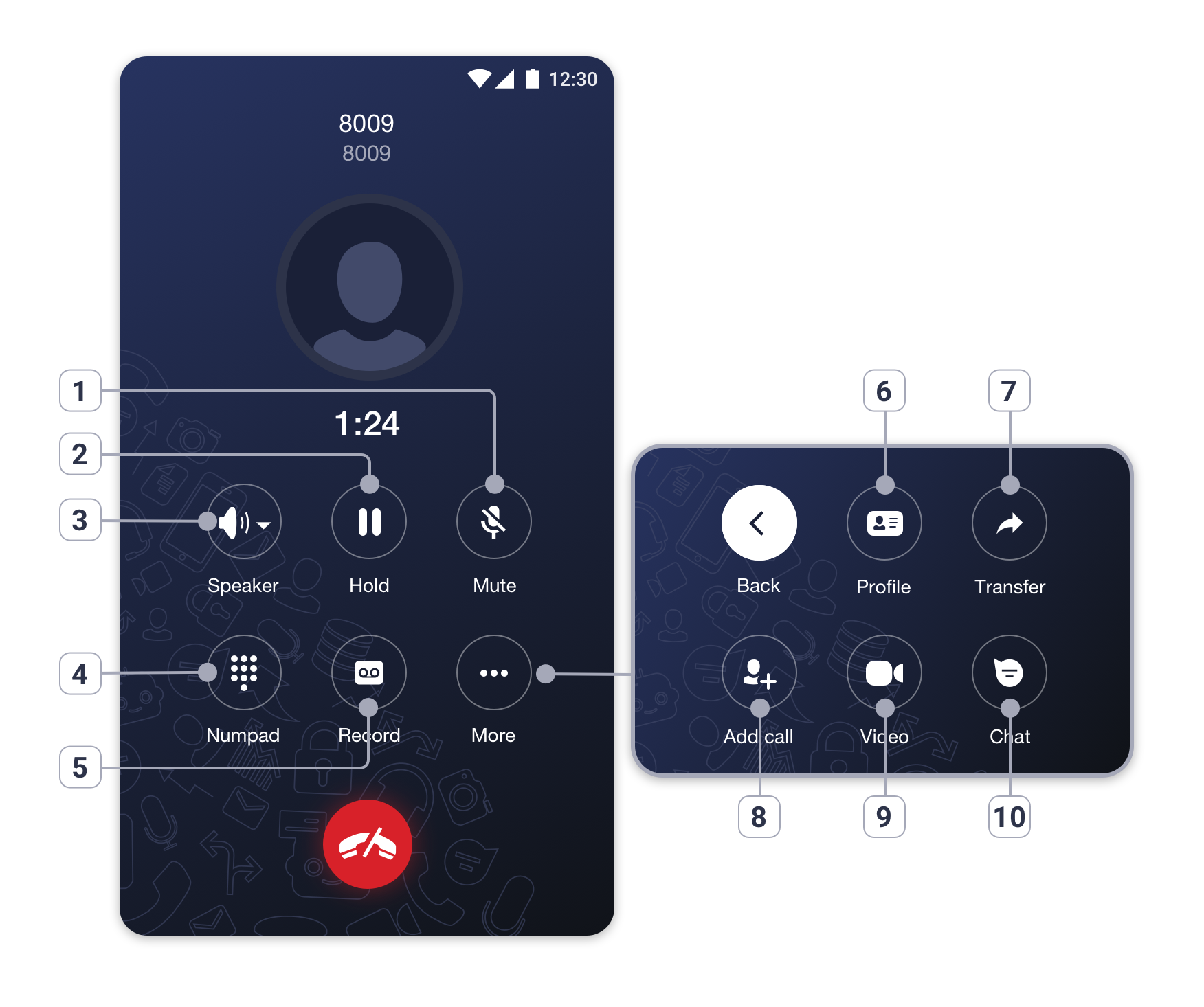
1. Mute / unmute microphone

2. Put the call on hold

3. Turn the speaker on / off, switch to Bluetooth

4. Open the Numpad to send DTMF

5. Turn call recording on / off

6. Open a contact's profile

7. Transfer a call

8. Make a parallel call

9. Turn video on / off

10. Open a chat with the contact

Choose whether this website can load embedded videos and measure Google Ads results. You can browse and contact us with both turned off.

Essential technologies Always on

Remember your privacy choices and protect the contact form using Cloudflare Turnstile.

Choices are saved in this browser for 365 days. Turning videos off removes loaded players. Turning measurement off stops future contact-conversion events and tells Google consent was withdrawn. It cannot erase data already sent to Google. Cookie notice · Privacy Policy