
General App Settings
You can configure a pop-up window during incoming calls and voicemails, trigger auto-recording of all calls as well as set the storage location for records in the General section. All forwarding rules, as well as enabling the possibility to receive a second call can be set in Call settings. Device selection for speakers and microphone in the Audio section. All camera-related features for video calls can be found in the Video section.
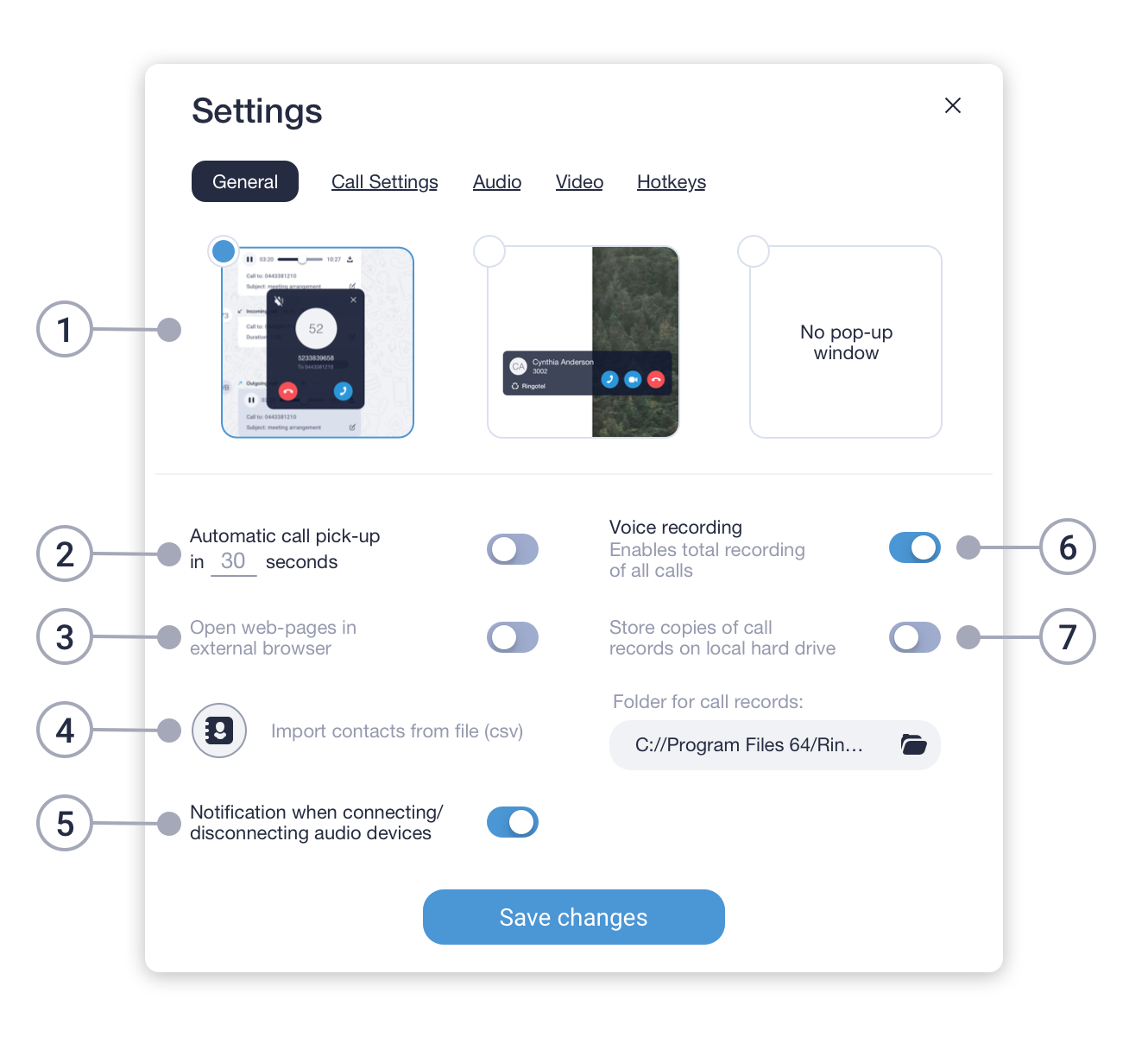
- Variants of pop-up window during incoming calls.
- Turns automatic pick-up of incoming calls after a specified period on/off.
- Opens custom web pages in an external browser or within the app.
- Import a list of contacts from a CSV file into the app.
- Turns notifications about external audio devices' connection on/off.
- Enables recording of all calls. *
- Allows to store copies of call records on a local hard drive. *
* Please check the availability of this feature with your PBX Administrator.