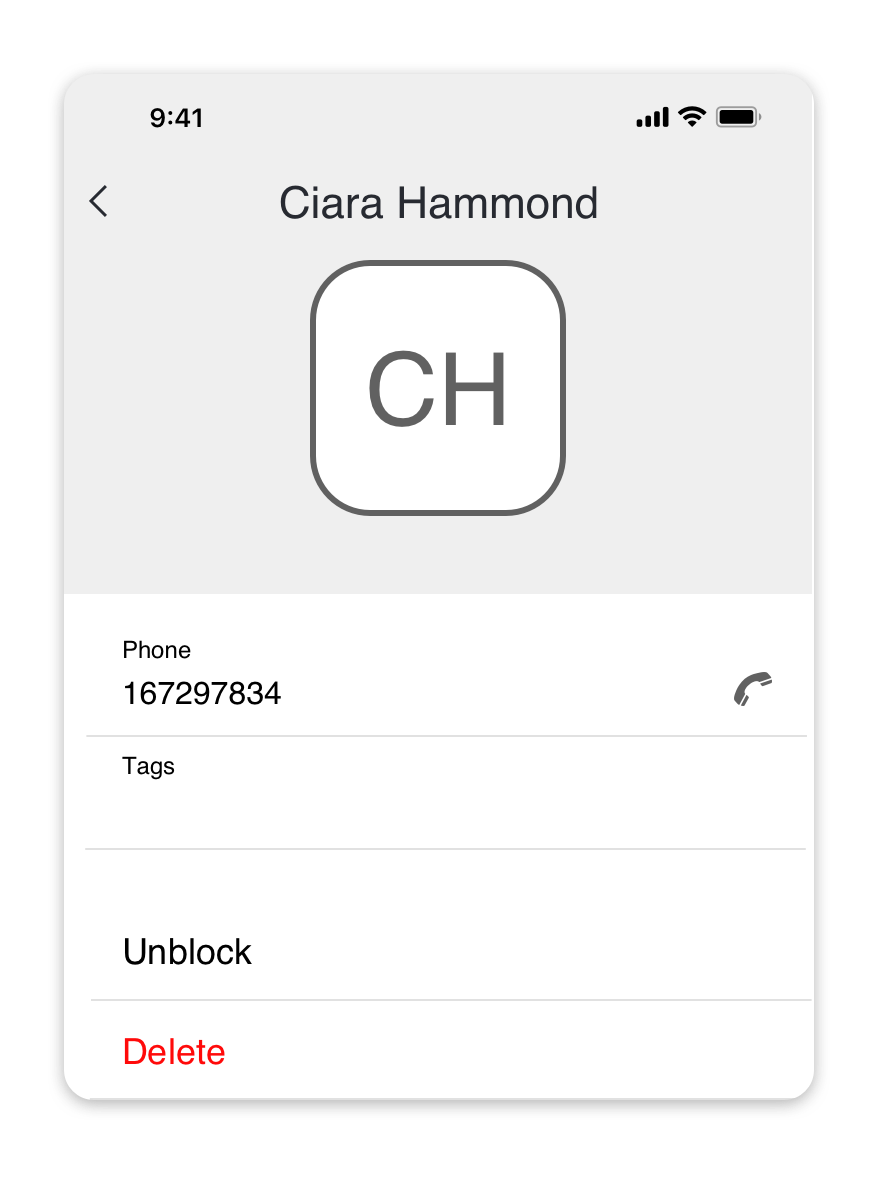
Block phone numbers
Looking for an Android or PC/Mac version of this article?
You can block incoming calls and SMS from the selected contacts and phone numbers.
NOTE:Blocked contacts are shared across your entire organisation, so if you block a number, it will also appear on other users' blocked list.
How to block a new contact
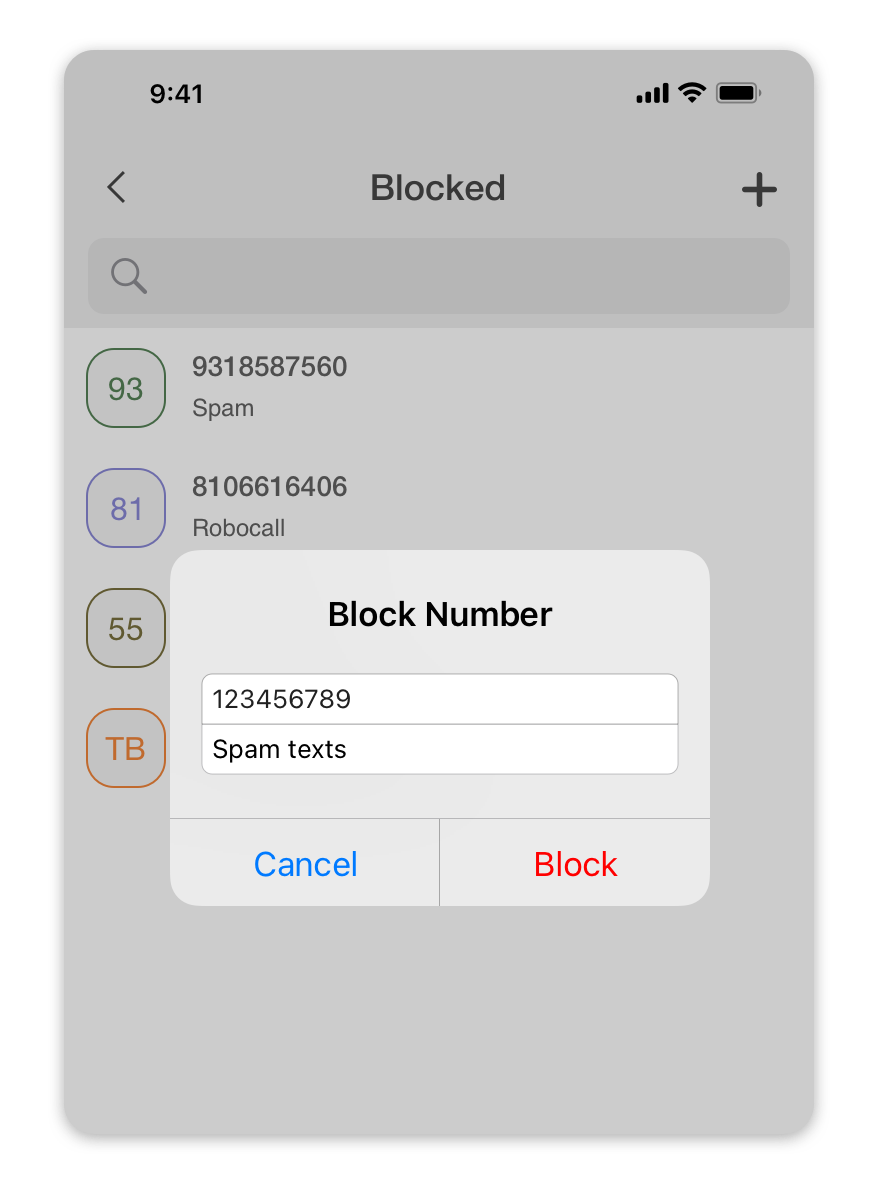
To block a new number:
- Navigate to Menu > Blocked.
- Tap the "+" (plus) button.
- In the appeared pop-up, specify the phone number and (optionally) the reason for blocking this number.
- Press the Block button to confirm.
How to block an existing contact
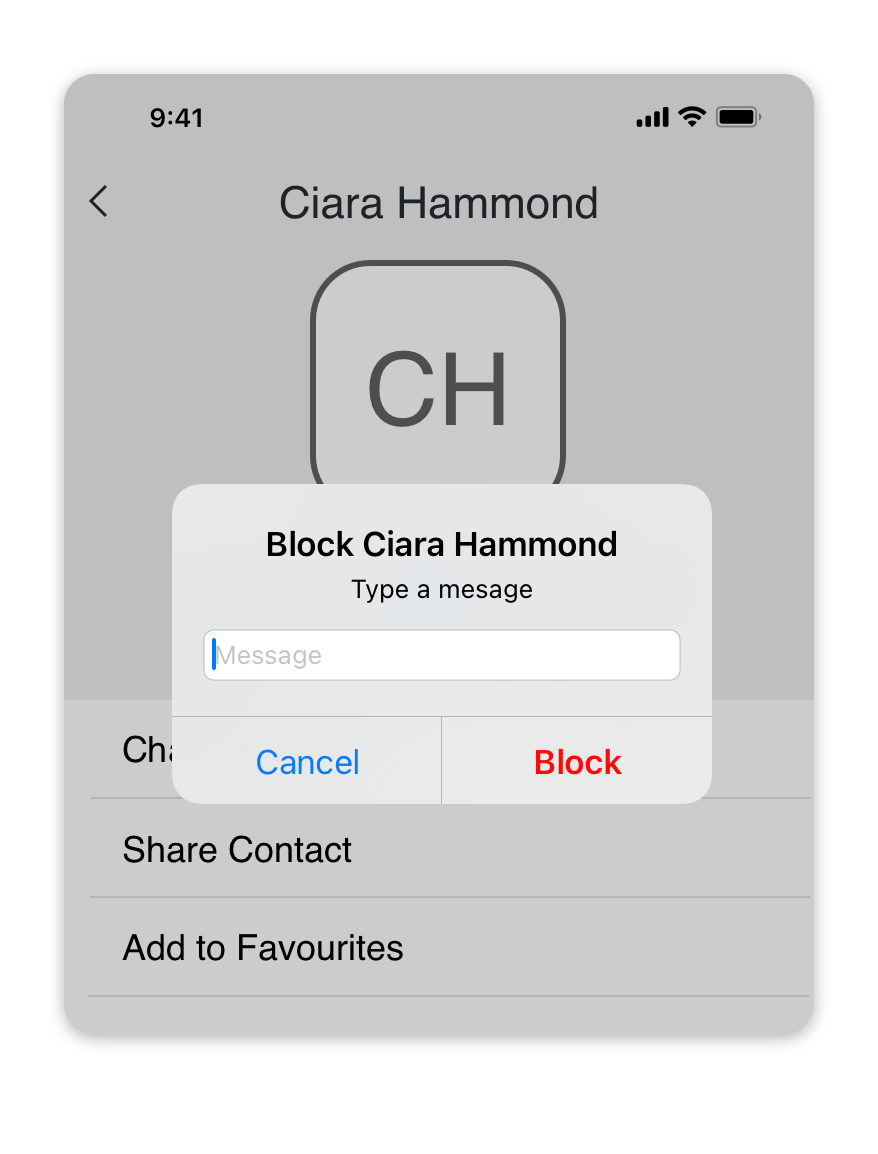
To block an existing contact:
- Navigate to Contacts tab.
- Find and select the contact in the list.
- In the contact profile, scroll down and press the "Block" button.
- In the appeared pop-up, (optionally) specify the reason for blocking this number.
- Press the Block button to confirm.
How to unblock a contact
To unblock a blocked contact:
- Navigate to Menu > Blocked.
- Find and select the contact in the list.
- In the blocked contact profile, scroll down and press the "Unblock" button.