
Call Settings
Looking for an Android or iOS version of this article?
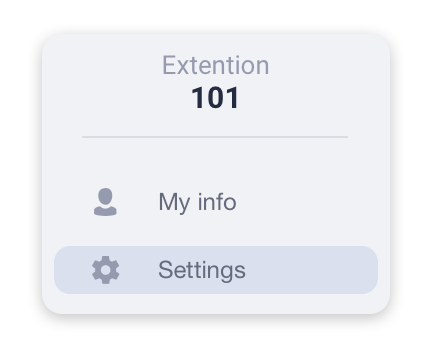
To open the desktop app settings, click the Menu Tab and select the Settings item from the list.
PBX features and forwarding rules
Your desktop app can receive multiple calls simultaneously. The number of calls the app can receive is specified in the Number of inbound lines box in the Calls Settings tab. However, you will need to enable the Call Waiting function first. If Call Waiting is enabled, the number of inbound lines will be set to 2.
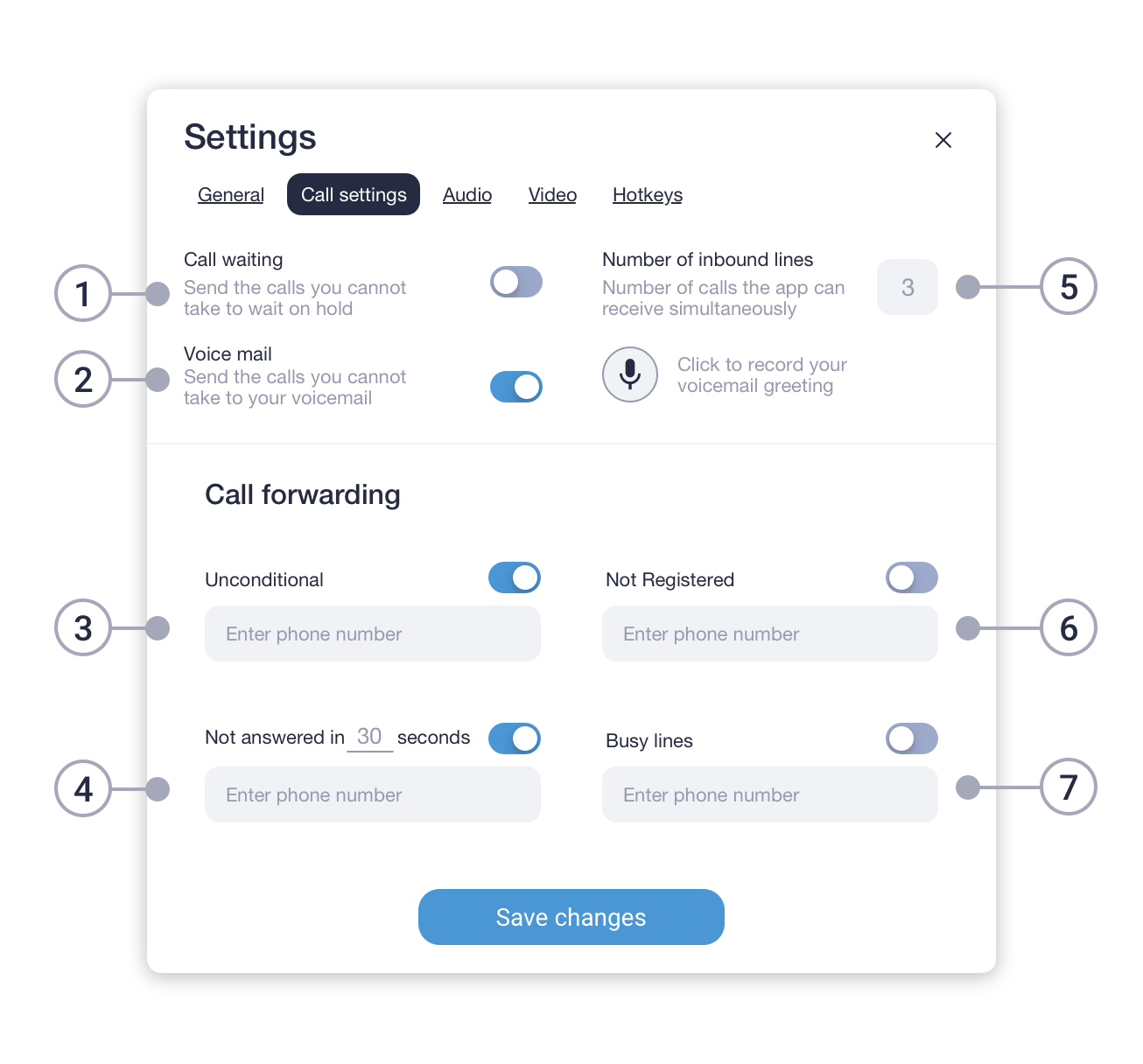
- Call Waiting allows you to suspend an existing phone call to answer a second call.
- Enable/disable voicemail.
- Turns ON/OFF unconditional forwarding of all your calls to the phone number set below.
- Turn ON/OFF call forwarding to the following number, in case you are not answering the phone within a set number of seconds.
- Number of calls the app can receive simultaneously.
- Turns ON/OFF forwarding to a phone number when your app is offline.
- Turns ON/OFF call forwarding to a phone number when all your lines are Busy.